What Syllabi does, part by part.
Upload each course outline once (a PDF, a Word file, a photo or pasted text). Syllabi turns it into your courses, deadlines and grade weights. Here is what each part of the app does with them.
Today
The next thing, first.
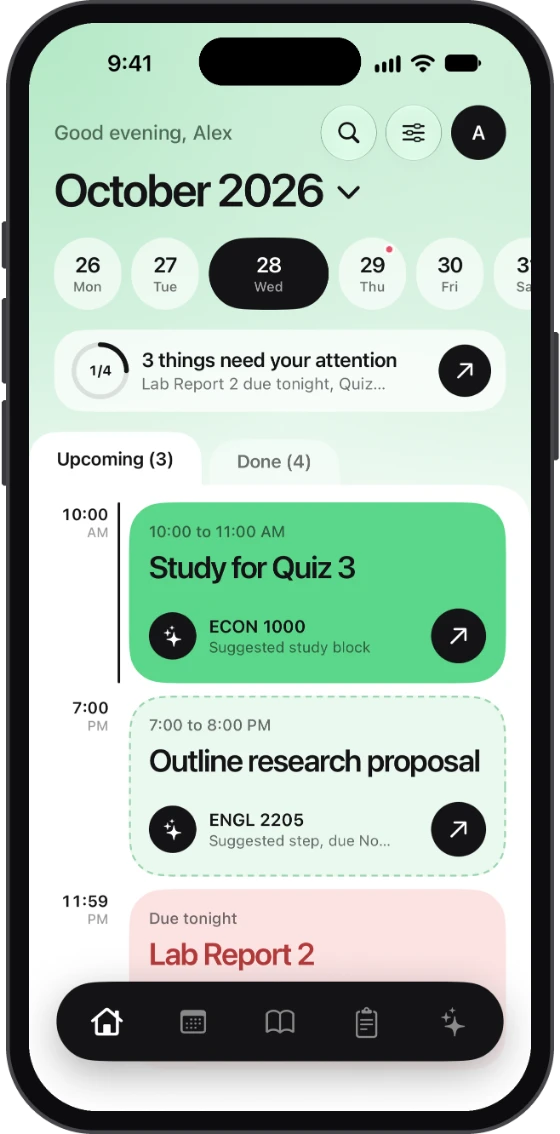
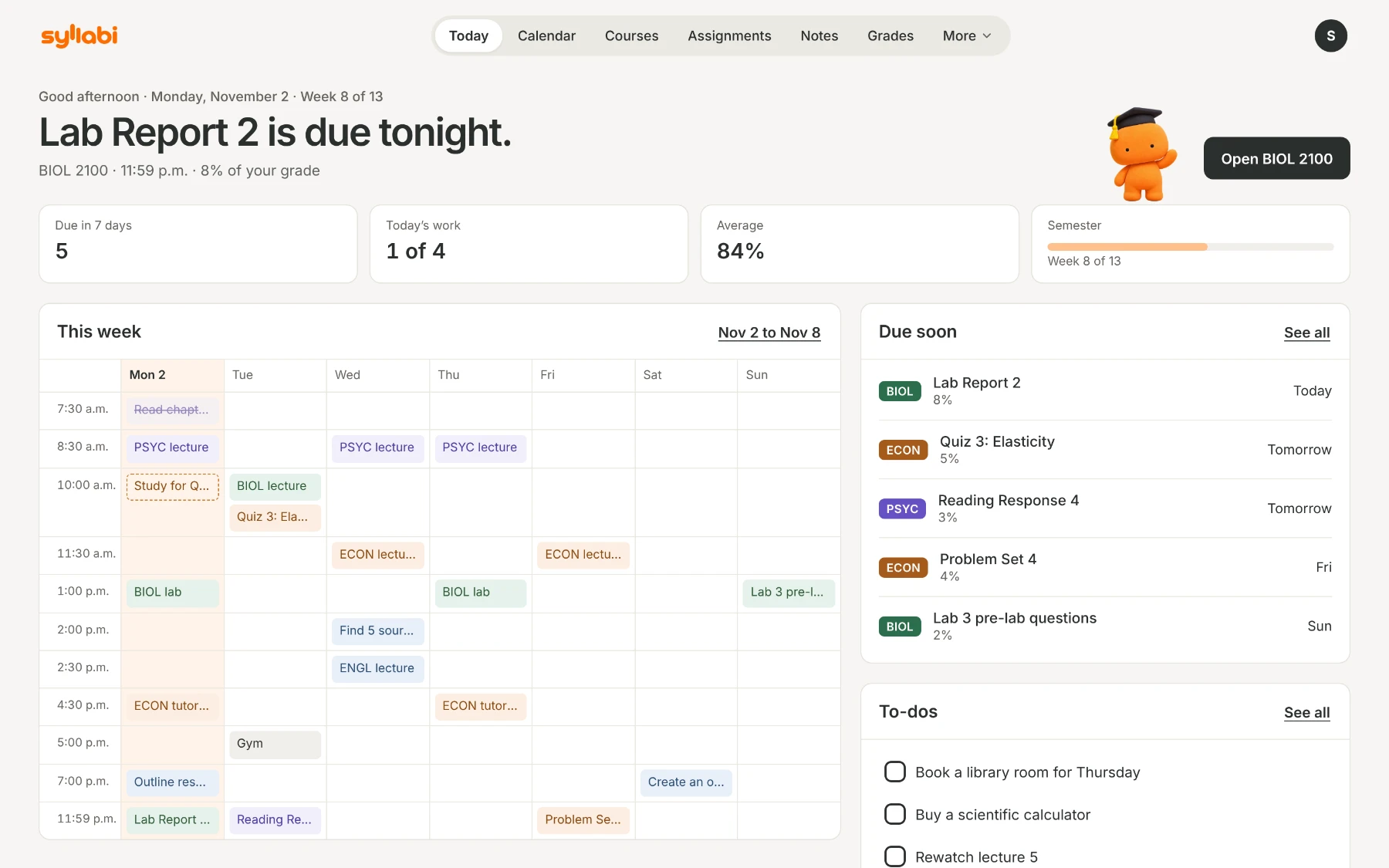
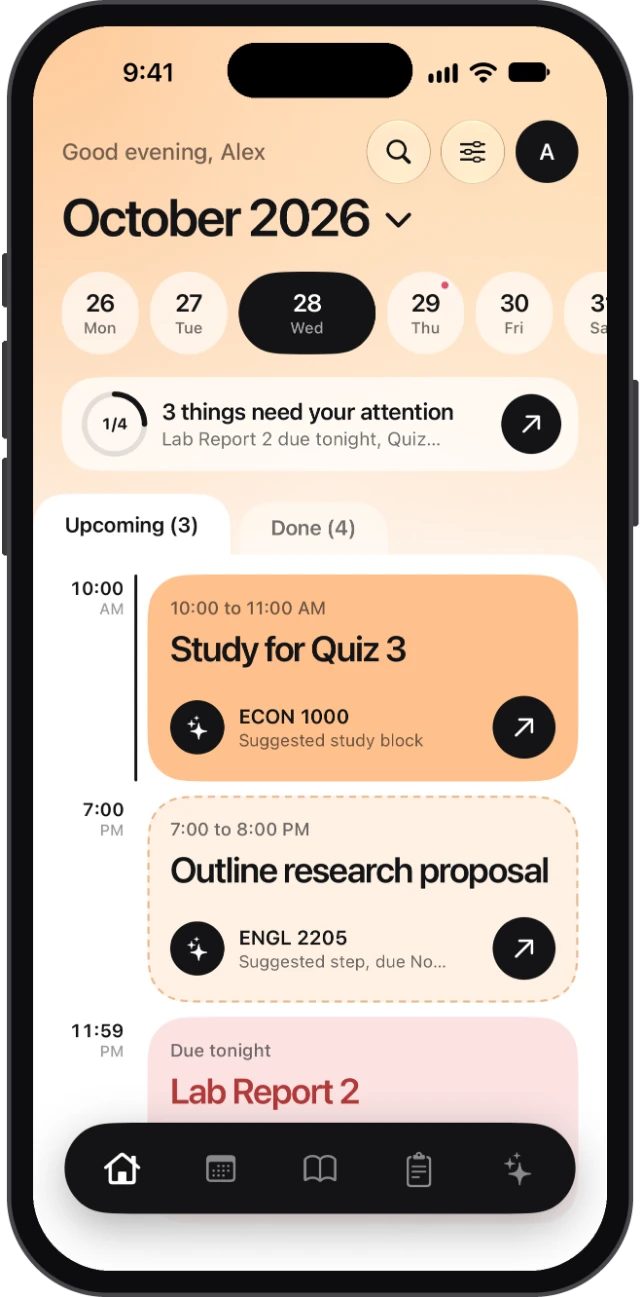
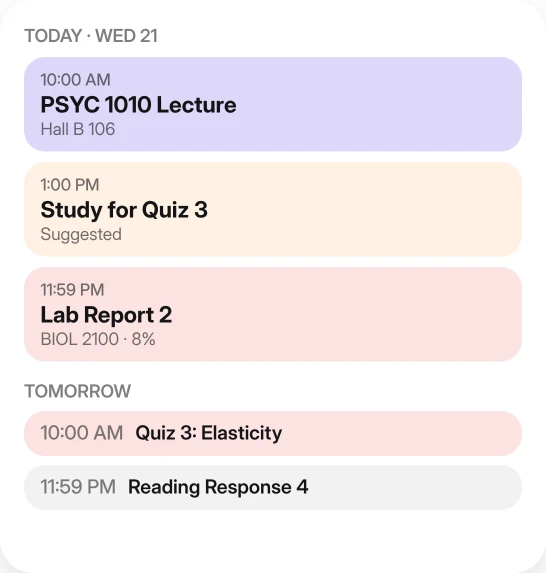
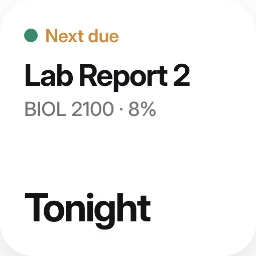
Today opens on the next thing due and how much it counts. Below it: this week’s classes and deadlines, your study blocks and your to-dos.
On iPhone, the things that need your attention sit at the top, one tap away.
Calendar
Your whole term, and the rest of your week.
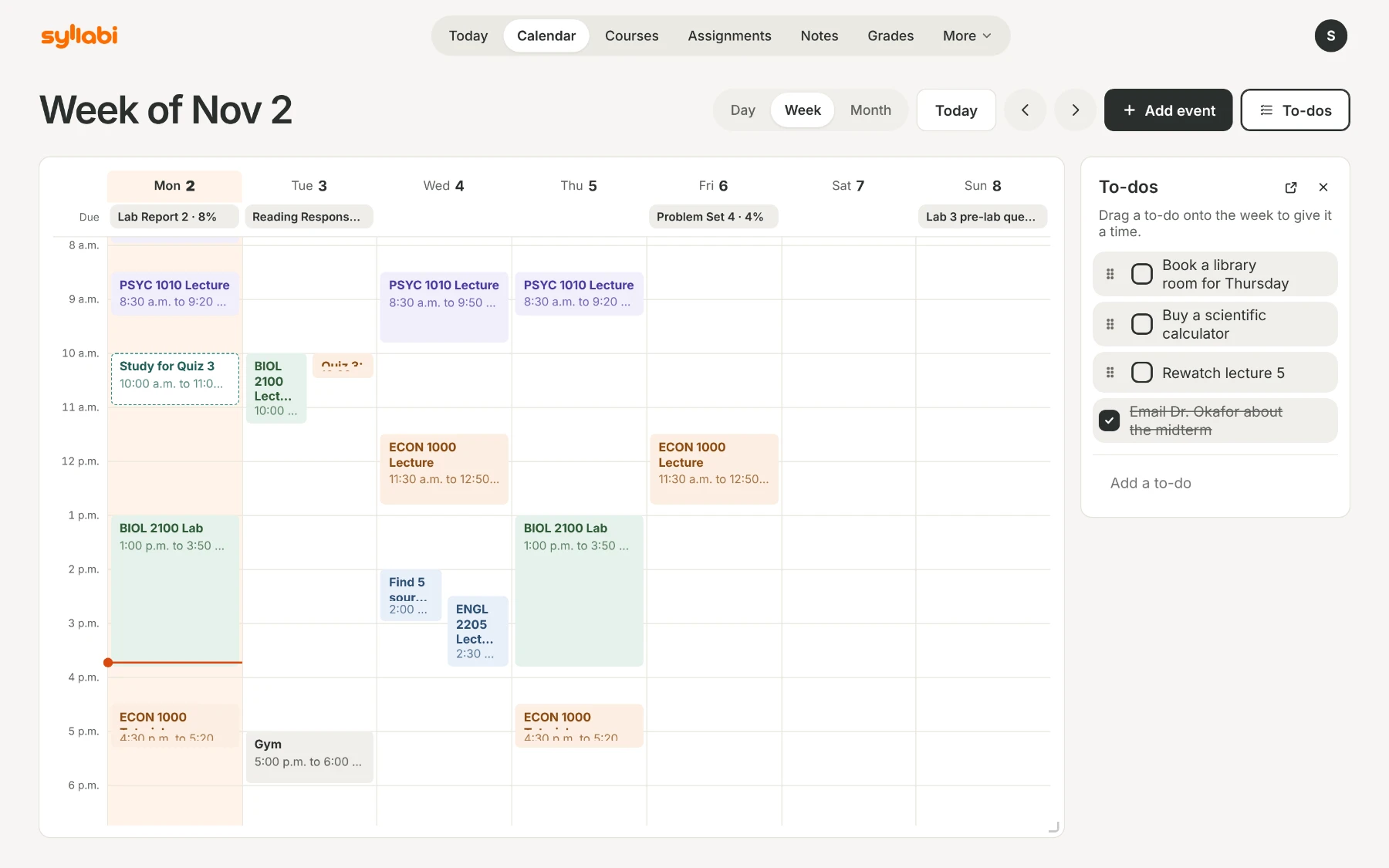
Classes, deadlines and exams from your syllabuses fill the day, week and month views.
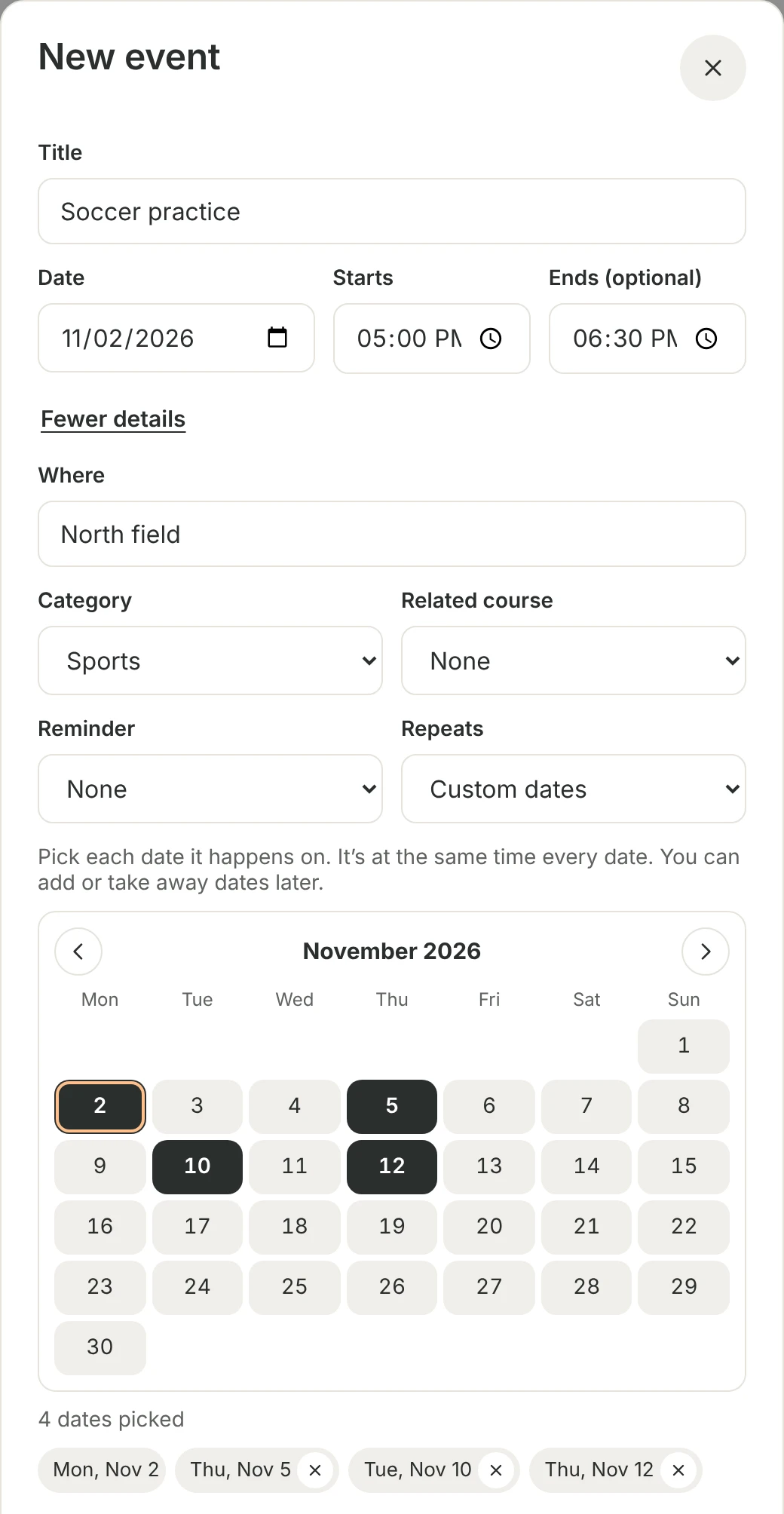
Add your own events in seconds: a title, a date and a start time is enough. Make one repeat every day, every week, every two weeks or every month, or pick custom dates when it changes from week to week.
On iPhone and iPad, Calendar sync can also put your dates in your phone’s calendar, iCloud or Google.
Courses
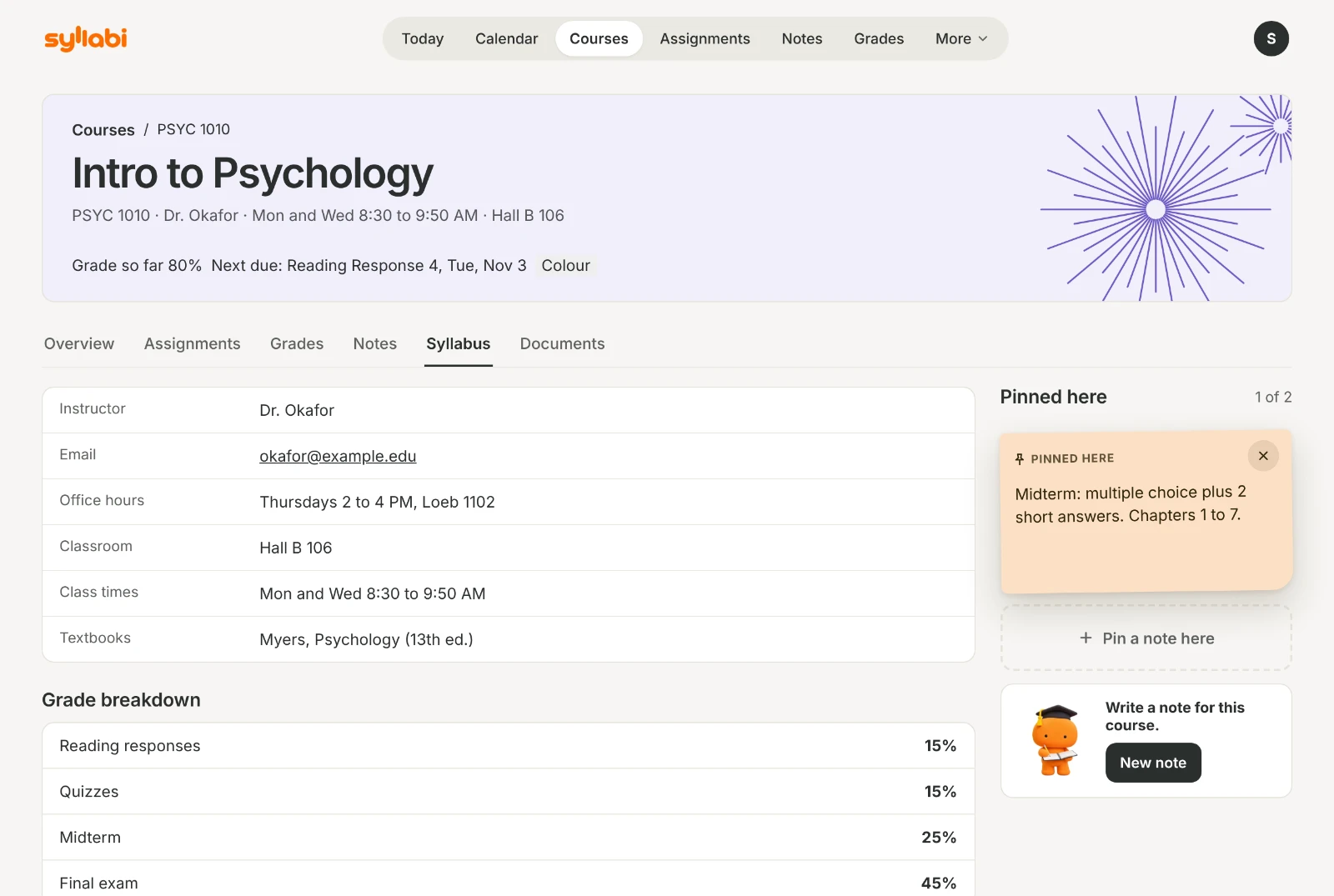
Every course becomes a page.
Instructor, office hours, classroom, textbooks, the grade breakdown and the late policy, filled in from the outline you already have.
The same page keeps what’s coming up in that course, your marks and your notes.
Assignments
Know what each one asks for.
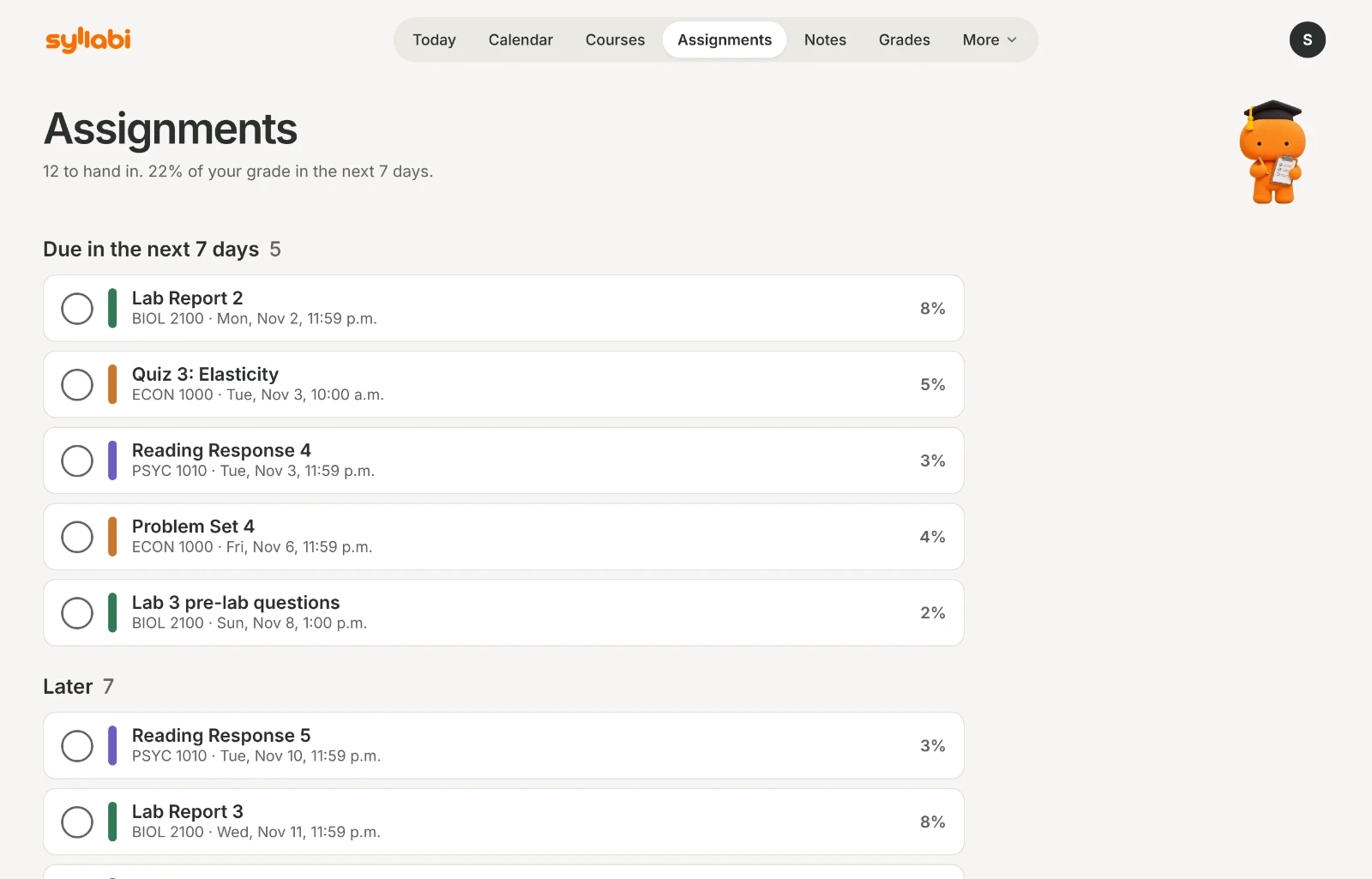
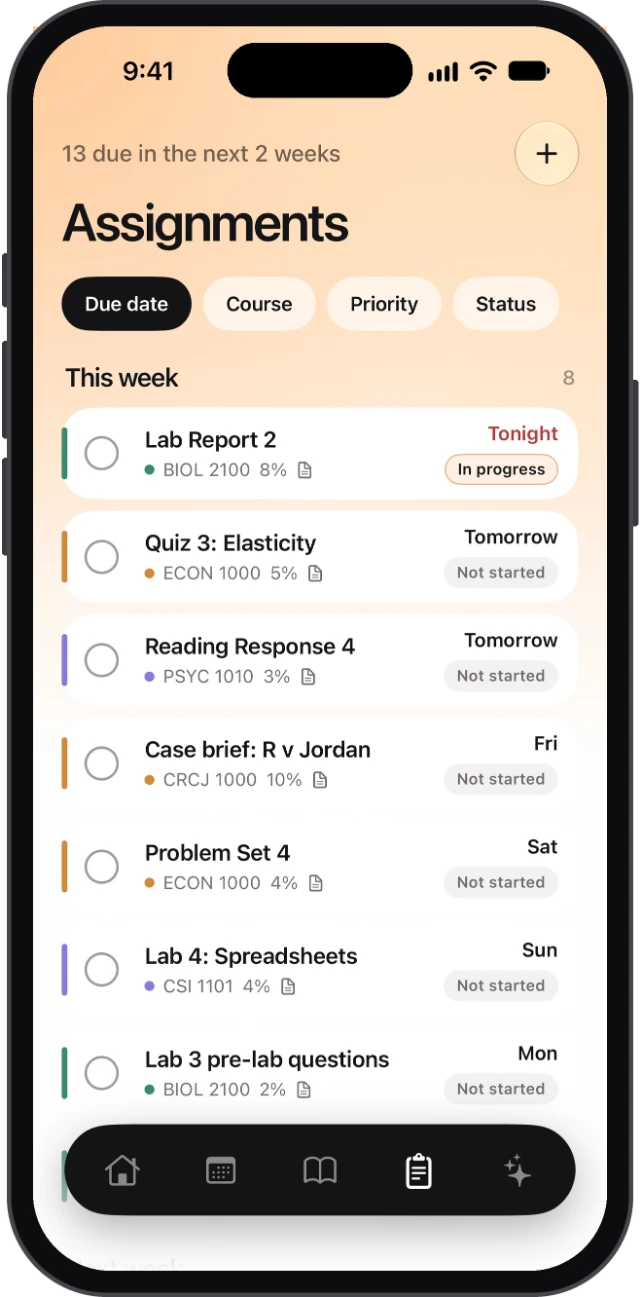
Every assignment, quiz and exam in one list, by due date, with what it’s worth.
Add an assignment’s instructions or rubric and Syllabi makes a checklist from what they say: the due date, the length, the format, the citation style, the sections to include. Each line shows where it’s written. Anything the document doesn’t say stays marked Unknown. Syllabi never guesses, and never writes your work.
Grades
See where you stand.
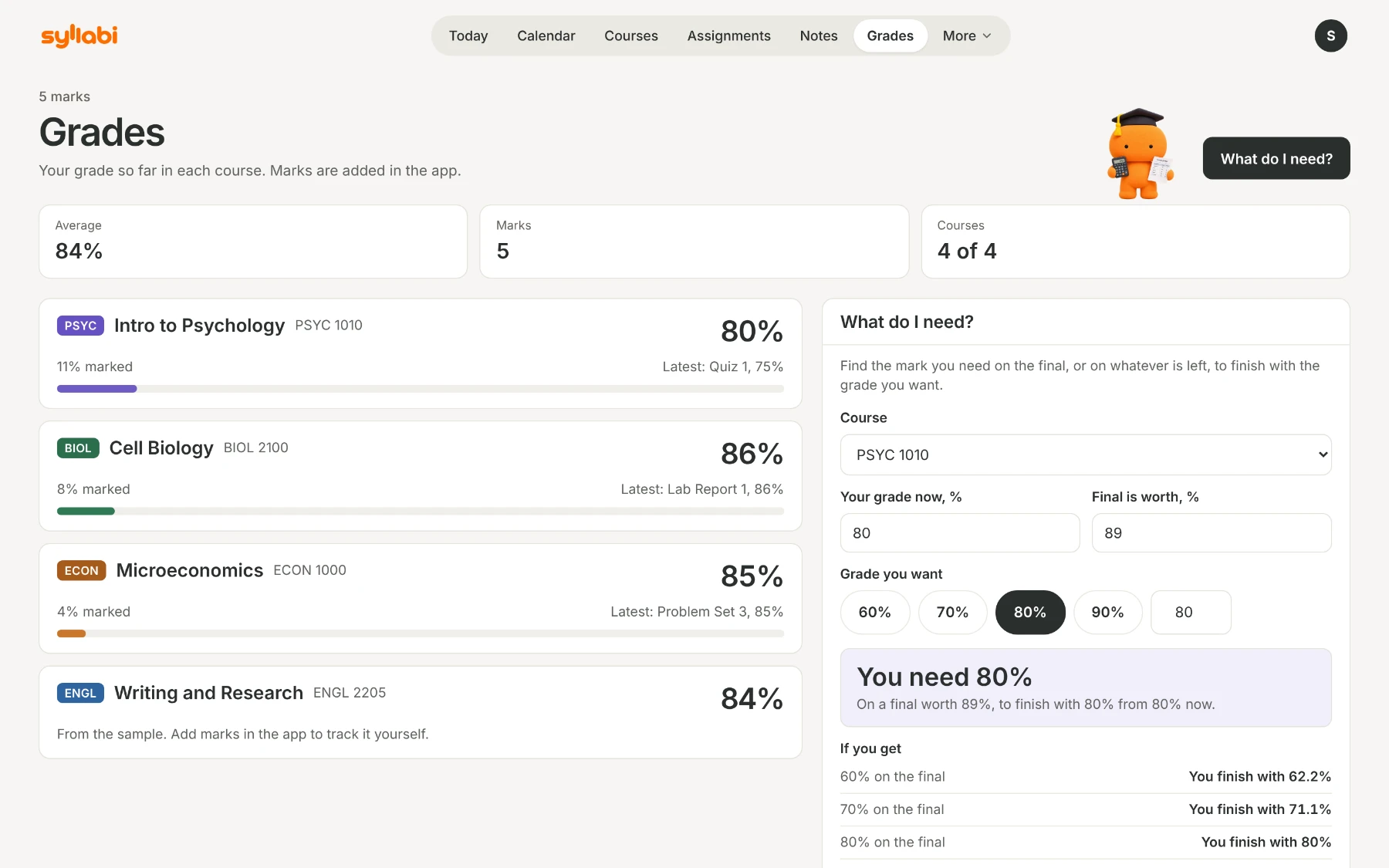
Add your marks in the app as they come back. Syllabi shows your grade so far in each course, weighted the way your syllabus says, on your phone and on the web.
What do I need? works out the mark you need on the final to finish with the grade you want.
Notes
Notes that stay with the course.
Type a note, write one by hand on iPhone or iPad, or write on your lecture slides. Search finds your handwriting too, and one tap summarizes a note.
More about notes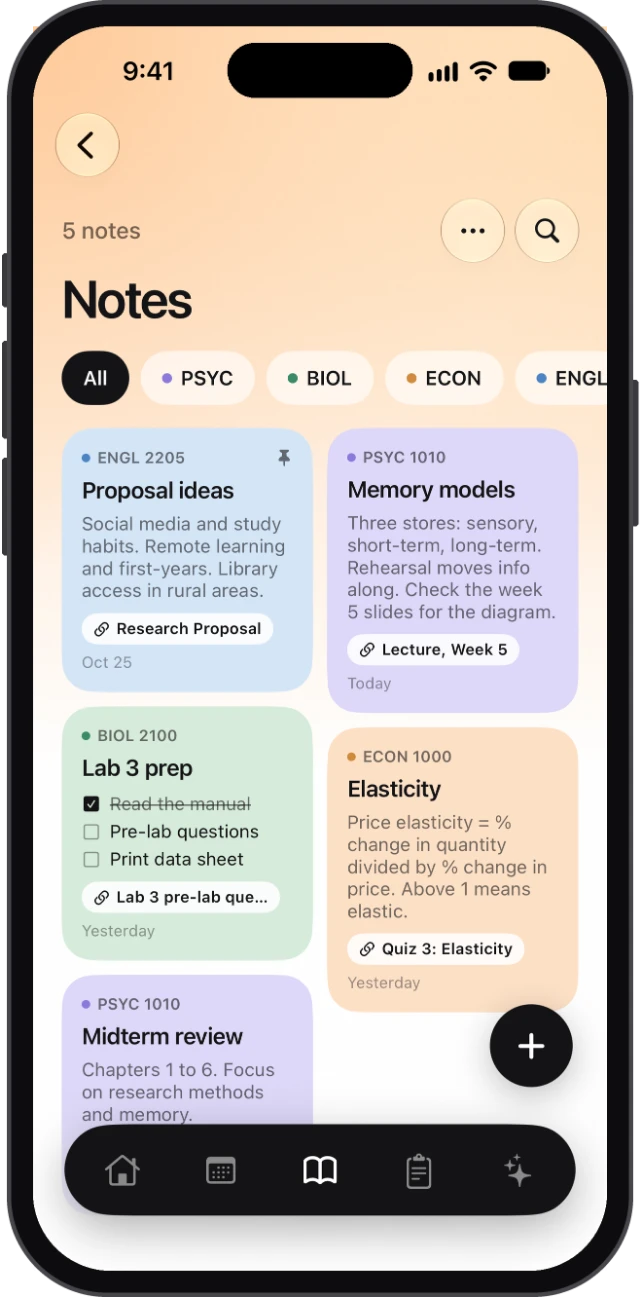
Study mode
One block at a time.
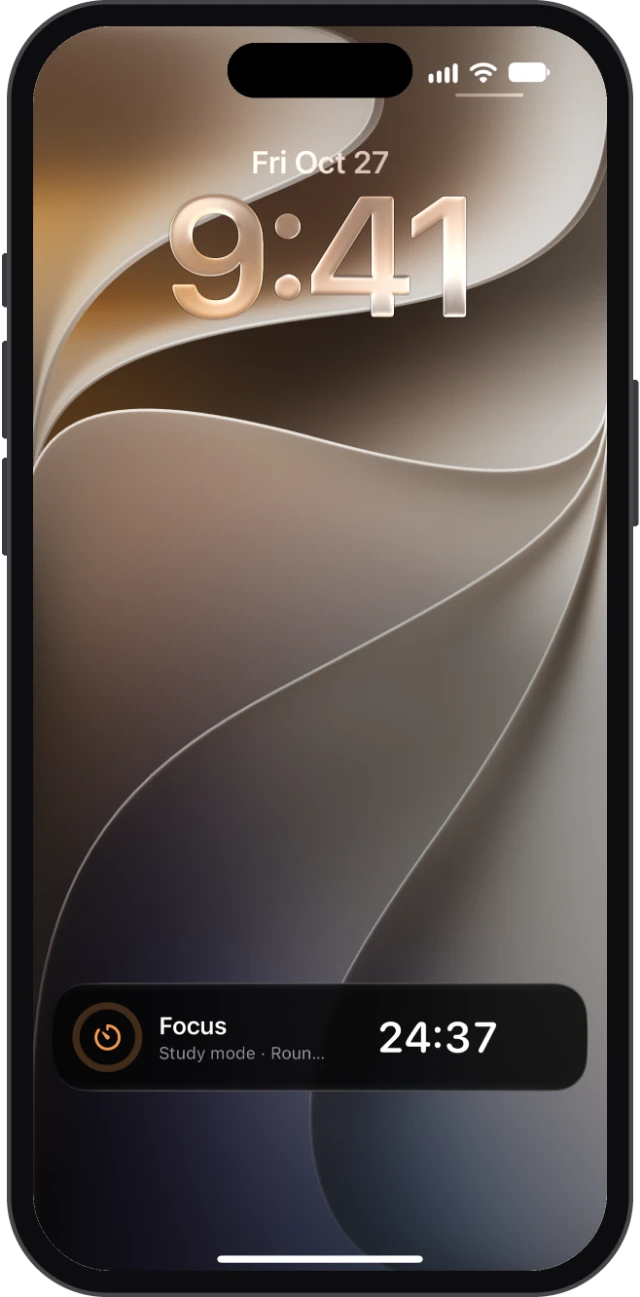
Pick how long to focus (25 to 90 minutes), a break and how many rounds. On iPhone, the timer stays on your Lock Screen while you work. On the web, it shows in the tab and chimes when a round ends.
Widgets
The next deadline at a glance.
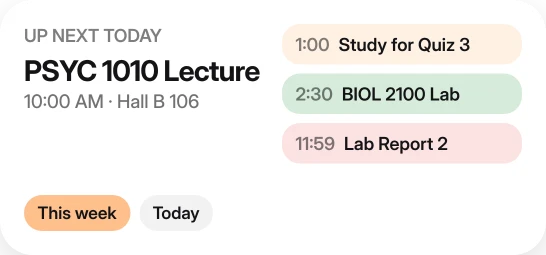
Seven widgets for your Home Screen. Next due, Exam countdown, Up next today and Today and tomorrow are free. Next class, This week and Next 30 days come with Pro.
Everywhere
The same semester on every screen.
Sign in with the same account on iPhone, iPad and the web, and your courses, deadlines, grades and notes match. Syllabi for Mac is coming.
Themes
Twelve colours. Light and dark.
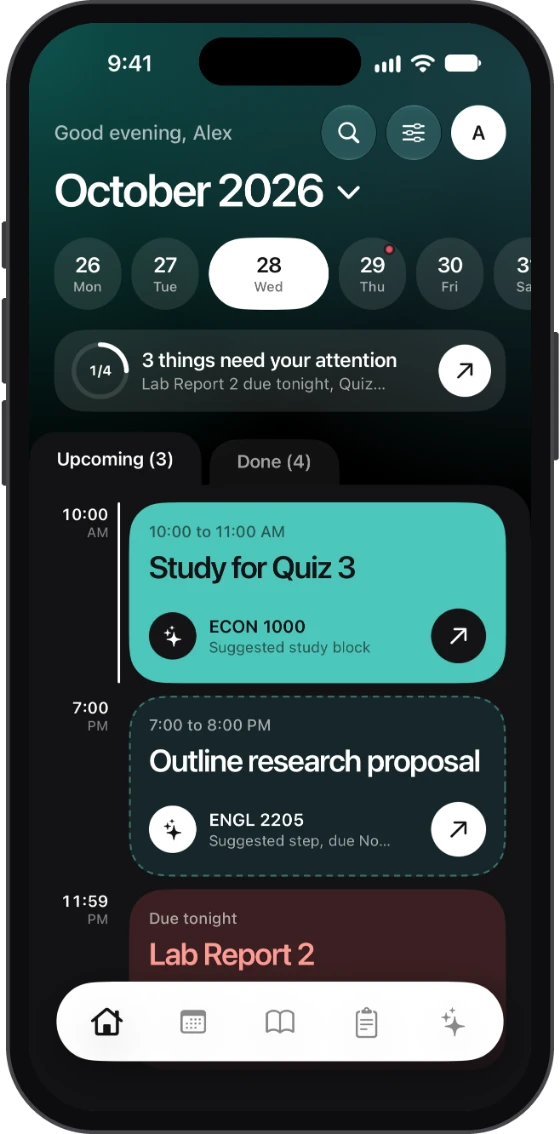
Eight bright colours, two that are always dark, and grey or black and white. Light or dark follows your phone, or you pick one.
- Apricot
- Blue
- Scarlet
- Sunflower
- Green
- Ocean
- Lavender
- Warm
- Plum
- Midnight
- Grey
- Black and white