The steps
- Gather every course outline.
- Upload each syllabus to Syllabi, once.
- Check the dates it found.
- Add the rest of your week.
- Follow Today, one block at a time.
- Keep your marks up to date.
1. Gather every course outline
Your syllabus, or course outline, is usually on the course website, in an email from your instructor, or handed out in the first class. A PDF or a Word file works best. In the app on iPhone and iPad, a photo of a printed page works too, and you can always paste the text.
Collect all of them before you start. Seeing every course in one place is what shows you the busy weeks, when three things are due within a few days of each other.
2. Upload each syllabus once
In the Syllabi app, tap Import, then Upload a document, and pick a syllabus. With two or more, Syllabi reads them while you do something else and tells you when your courses are ready. On the web, choose Upload a syllabus, then pick a file or paste the text; reading one can take up to two minutes.
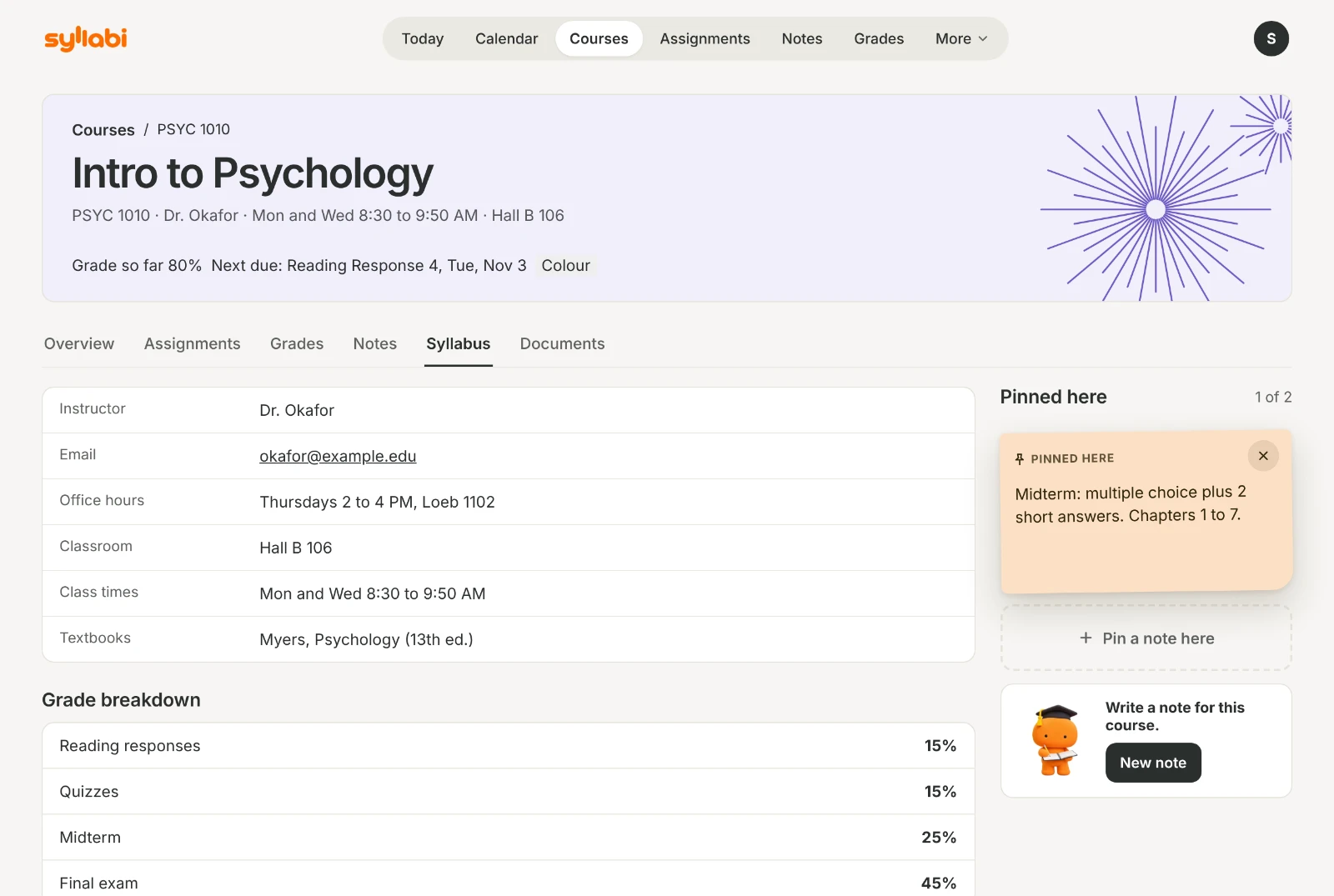
Each course gets its own page, filled in from what the outline says: the instructor, office hours, classroom, textbooks, the grade breakdown and the late policy.
3. Check the dates before they go on your calendar
Before anything is added, Syllabi shows you what it found: each assignment, quiz and exam with its date and weight. Any date the syllabus wasn’t clear about is marked for you to check, and anything the syllabus gives no date for is kept on the course, not on the calendar.
If a date changes later in the term, tap the deadline, then Edit.
4. Add the rest of your week
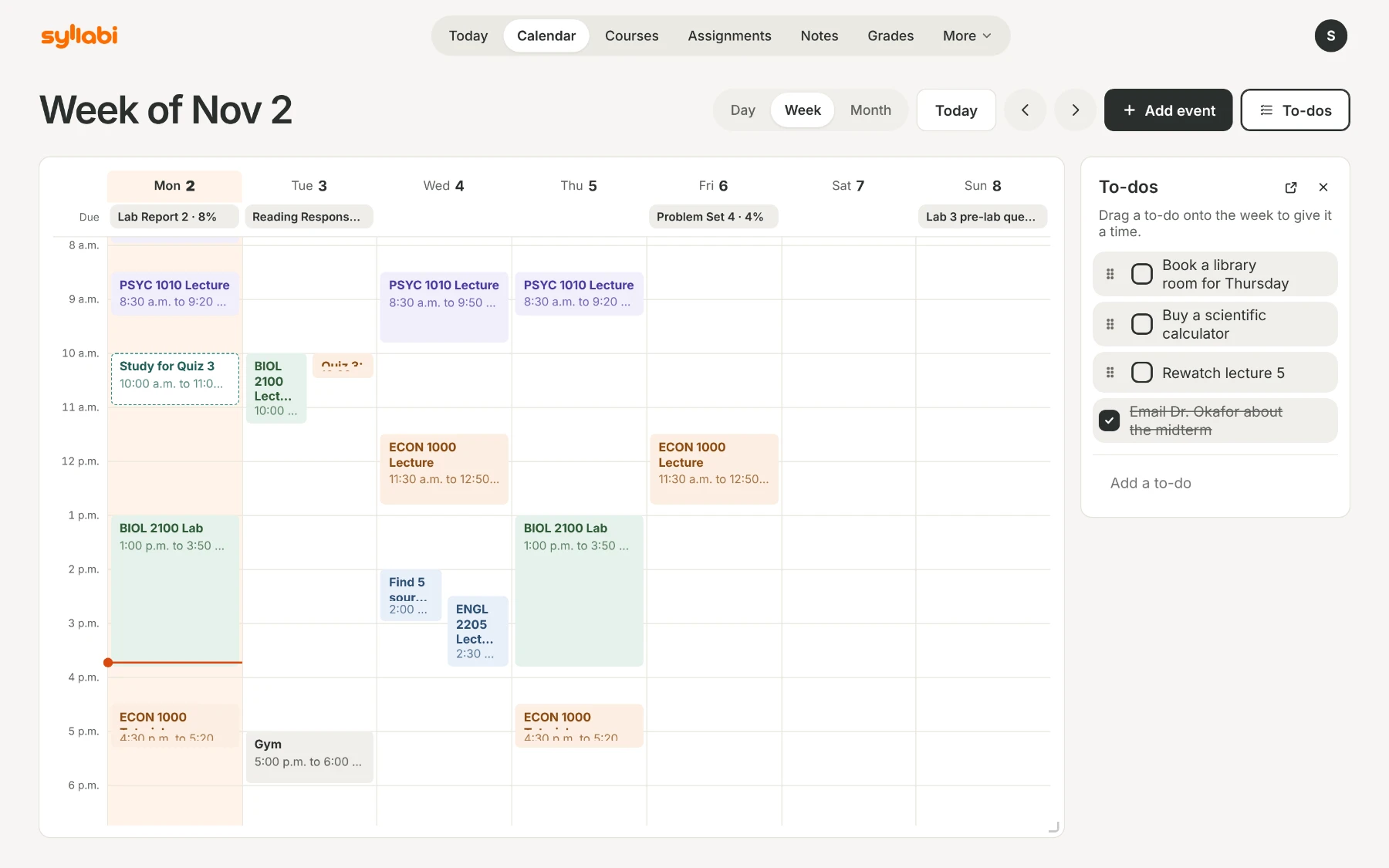
Your classes, deadlines and exams now fill the day, week and month views of the calendar. Add what the syllabus doesn’t know about: a shift at work, practice, an appointment. A title, a date and a start time is enough, and an event can repeat every day, every week, every two weeks, every month, or on dates you pick.
On iPhone and iPad, Calendar sync can also put your dates in your phone’s calendar, iCloud or Google.
5. Follow Today, one block at a time
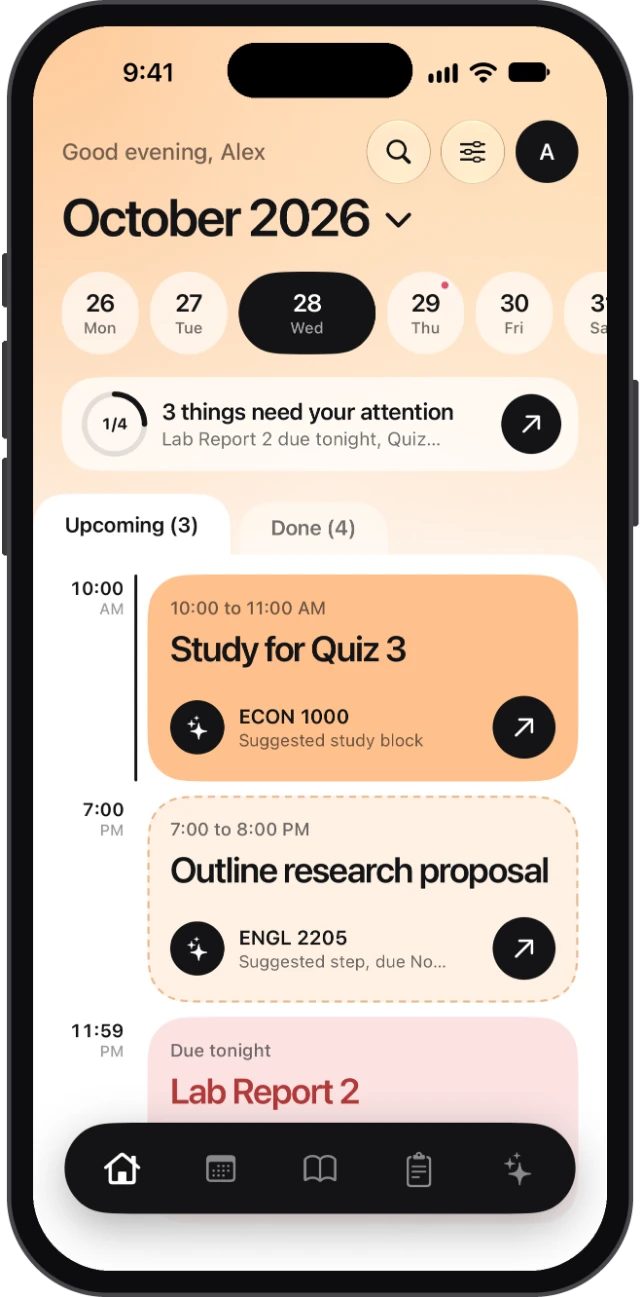
Today opens on the next thing due and how much it counts. Below it are this week’s classes and deadlines, your study blocks and your to-dos, so you don’t have to work out the order yourself.
When it’s time to work, Study mode runs a focus timer of 25 to 90 minutes, with breaks. On iPhone, it stays on your Lock Screen while you work.
6. Keep your marks up to date
As marks come back, add them in the app. Syllabi shows your grade so far in each course, weighted the way your syllabus says, and What do I need? works out the mark you need on the final for the grade you want. More about grades.
A few habits that help
- Look at the coming week on Sunday evening, while there’s still time to move things around.
- Start long assignments early. With Syllabi Pro, an assignment can be split into steps, planned in your evenings.
- Keep your notes with the course they’re for, so they’re there when the exam comes. More about notes.
- When an instructor changes a date in class, change it in Syllabi the same day.
Start with this term’s syllabuses
Syllabi is free on iPhone, iPad and the web, with up to 6 courses and 18 syllabus uploads a term. Syllabi Pro gives you more room and a few extras. To see everything else it does, read A student planner for college and university, or write to us from the Support page.